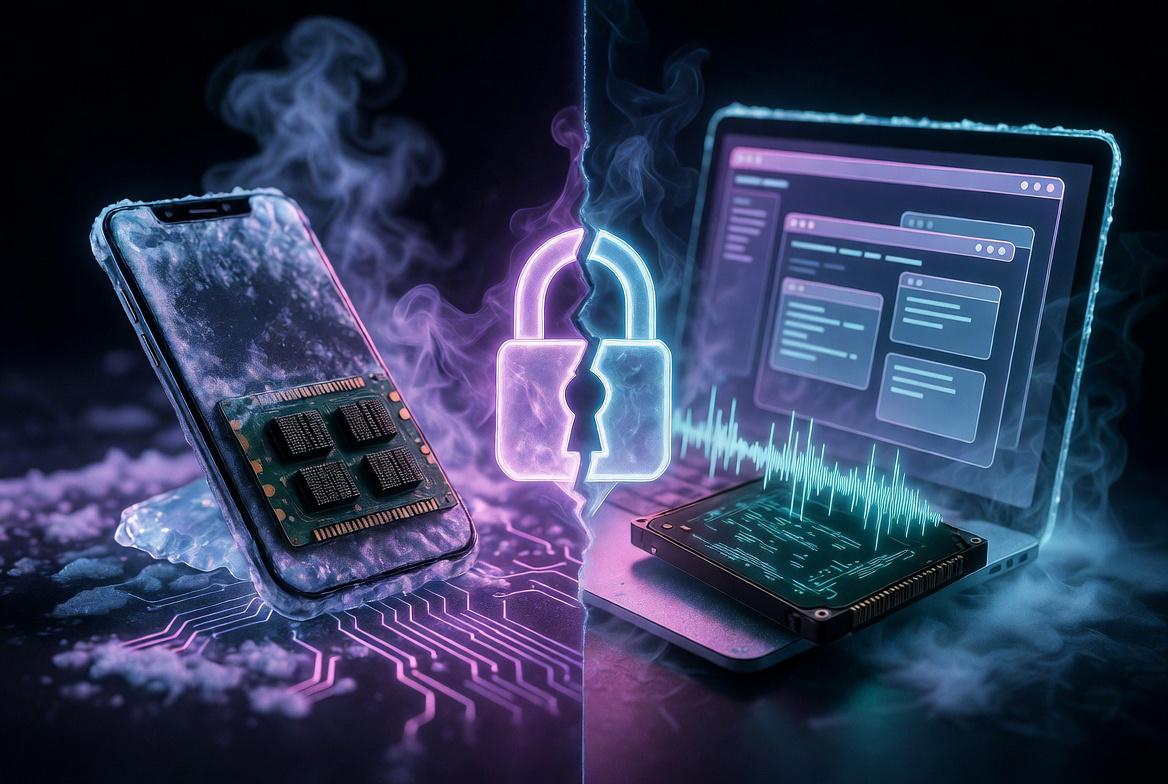
Here’s a small puzzle for the security-minded. Search “FROST attack” and you’ll find two completely different threats wearing the same name. One involves a freezer and a stolen encryption key. The other involves a web page quietly working out which tabs you have open. They share four letters and absolutely nothing else.
It’s a neat accident of naming — and a useful one, because between them these two FROSTs teach the same lesson from opposite ends: your secrets leak through physics, not just through code. Let’s take both.
FROST #1: The Freezer That Robs Your Keys (2013)
The original FROST — Forensic Recovery Of Scrambled Telephones — was built in 2013 by researchers at Erlangen University in Germany. They demonstrated it on a Samsung Galaxy Nexus running Android’s then-new disk encryption. The attack didn’t break the encryption or guess the passphrase. It stole the encryption key straight out of the phone’s RAM — using a domestic freezer.
It’s a specific case of the broader cold boot attack, first published in a landmark 2008 USENIX paper by a Princeton-led team. Both rely on a quirk of physics that most security marketing quietly ignores.
The Physics: Cold Memory Betrays You
We’re taught RAM is volatile — cut the power and data vanishes instantly. Not quite. Data in DRAM fades gradually, a property called remanence. At room temperature the contents linger for a few seconds after power is removed. Cool the chips and the fade slows dramatically: drop a phone to around -15°C in a freezer and the data survives five or six seconds instead of one or two. Use upside-down canned air, or liquid nitrogen, and you can stretch retention to minutes or even hours.
That window is all an attacker needs.
How The Freezer Attack Unfolds
1. Chill the device. An hour in the freezer drops the RAM to around -15°C.
2. Brutal, fast reboot. Yank and reconnect the battery in under half a second, then boot into a low-level recovery mode. The cold data survives the flicker.
3. Load a forensic tool. A custom recovery image is flashed from a connected PC.
4. Scrape the RAM. The tool reads whatever’s still in memory — contacts, photos, emails, and crucially the disk encryption key.
5. Decrypt at leisure. With the key recovered, the encrypted storage opens like an unlocked door.
On a laptop it’s cruder still: shut down abruptly, boot a tiny memory-dumping OS off a USB stick, or simply pull the RAM sticks and plug them into a machine you control.
Still Relevant in 2026?
Yes. Research through 2024–25 confirms modern DDR4 and DDR5 memory remains vulnerable. DDR5’s on-die scrambling is not encryption — it’s for signal integrity, and it obscures rather than protects. Worse, in 2025 researchers demonstrated interposer attacks (WireTap, Battering RAM) that physically tap the memory bus to bypass even hardware memory-encryption. The arms race moved up a layer rather than ending.
FROST #2: The Web Page That Reads Your Tabs (2026)
Now the new one — and the reason you may have heard the name lately. In June 2026, researchers at Graz University of Technology (the team includes Hannes Weissteiner and the prolific Daniel Gruss) unveiled a totally unrelated attack, also called FROST: Fingerprinting Remotely using OPFS-based SSD Timing.
This one needs no freezer, no physical access, no malware, and no permissions. You visit a web page. That’s it. In the background, the page works out which other websites and desktop applications you have open — and it’s frighteningly accurate.
How It Works: Listening To Your SSD
FROST #2 is a contention side-channel attack. When multiple processes hit the same resource — your SSD — they slow each other down in tiny, measurable ways. If a page can time its own disk reads precisely, it can work backwards from the latency pattern to infer what everything else on the machine is doing.
It pulls this off using the Origin Private File System (OPFS) — a legitimate browser API (Chrome, Firefox, Safari) that lets web apps store working files on your disk without asking permission. It exists for honest reasons: in-browser IDEs, video editors, productivity tools. The malicious page:
1. Creates a huge OPFS file — large enough to overflow the OS memory cache. (A single origin can claim up to 60% of your disk without a flag — over 150GB on a 256GB drive.)
2. Performs continuous random 4KB reads, timing each one precisely.
3. When you open another site or app, that activity creates SSD contention — latency spikes in the attacker’s measurements.
4. A trained convolutional neural network turns those traces into guesses about your activity.
On an M2 Mac Mini, the researchers identified visited websites with ~89% accuracy and running applications with ~96%. It works across different browsers on the same machine, needs no installed software — just a tab you left open.
The Vendors Shrugged
The team disclosed responsibly to Google, Apple and Mozilla. Google said it doesn’t consider browser fingerprinting a security vulnerability. Apple called it “currently out of scope.” Mozilla acknowledged it but shipped no fix. The paper goes to the DIMVA conference in Chania, Greece, in July 2026. It hasn’t been seen in the wild — yet.
That collective shrug is, arguably, the real story. Fingerprinting has been quietly reclassified as a cost of doing business on the modern web.
Two Attacks, One Lesson
The two FROSTs couldn’t be more different in mechanism — one is a hardware heist needing your physical device, the other is pure JavaScript running on a stranger’s laptop from across the internet. But they rhyme. Both extract secrets not by breaking cryptography, but by exploiting the physical substrate underneath it — cold silicon in one case, a shared disk bus in the other. Perfect maths sitting on leaky physics.
How To Protect Yourself
Against the freezer attack (FROST #1):
• Power down completely — don’t sleep. The single biggest lever. Sleep keeps your encryption keys live in RAM; a shut-down or hibernated device has flushed them. Hibernation writes RAM to the encrypted disk and clears volatile memory — the cleanest state. Crossing a border or leaving a device? Shut it down, don’t just close the lid.
• Use pre-boot authentication with a strong PIN. A TPM that auto-unlocks at boot loads the key into RAM with no human in the loop. Requiring a passphrase before the OS loads (BitLocker pre-boot PIN, LUKS, FileVault) keeps the key out of reach.
• Disable booting from USB/network in BIOS/UEFI and protect it with a firmware password.
• Enable Secure Boot so only trusted components load.
• Prefer soldered RAM — it can’t be pulled and transplanted (a real repairability trade-off, but relevant here).
• Use hardware memory encryption (AMD SME/SEV, Intel TME/TDX) where available. On Linux, TRESOR keeps keys in CPU registers, never in RAM.
Against the SSD-timing attack (FROST #2):
• Close tabs you aren’t using. The simplest, most effective control. FROST #2 needs its tab open and ticking, and can only fingerprint what’s currently active. Thirty open tabs is thirty data points.
• Be wary of long-lived background tabs — the one you stopped watching last Tuesday is exactly the kind that could host this.
• If you’re technical, watch OPFS usage via DevTools. A page you barely visited holding tens of gigabytes of “private” storage is a bad sign.
• A VPN won’t help here — the leak is local, on your own machine, not on the wire. (It’s still worth having for everything else.)
The Master Key
Notice the through-line in both defence lists: the strongest cryptography in the world is downstream of physics and habit. Shut your devices down. Close your tabs. Keep your hands on your hardware. Encryption is a human right and the tools to defend yourself are real, free, and accessible — but they only work if you stop leaving the key on the table. Whether the table is frozen or merely has too many tabs open is, in the end, a detail.